
Auto Map
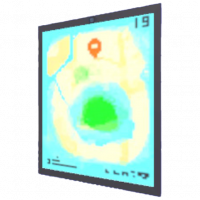
M to view the map - Banana mePad Tablet Computer w/ GPS Auto Map v1.0. Made in Sheo Islands :}
The Auto Map is one of the first items the player will get in the game, it is obtained early on and adds a mini-map at the top right corner of the player's screen at all times, it indicates their current location and fills in as they discover new areas.
Function
The Auto Map is always active in the top right corner of the player's screen, it shows the whole map in dark blue and then fills in with pink squares as the player traverses the location. It is useful for the player to know where they've explored inside any given location.
Additionally, it also allows the player to press the M key on their Keyboards, or the Options, Select, Minus or equivalent button on their controllers, to view their maps with the whole screen.
Location
The Auto Map is given to the player by Ket when interacting with him for the first time in either the Sheo Islands Beach or Southeast Beach. The map will immediately appear on the player's screen while they continue talking with Ket and get directions on their controls or next objective.
Trivia
- If the player ignores Ket at his first location and skips getting the map, but later asks Ket for directions at Southeast Beach, Ket will give him the Auto Map and mention that he tried to give it to him earlier.
- Because of this, the Auto Map is the only item that can be acquired at two different locations.
- The description of the item being signed with a :} emoticon might mean that the Banana mePad was made by Francis, though, this hasn't been confirmed.